Table of Contents
Understanding the Fundamental Differences
While personal and business checks may look similar at first glance, they serve different purposes, follow different formatting conventions, and offer different levels of security. Choosing the right type of check for your situation isn't just a matter of preference — using the wrong type can create accounting headaches, complicate tax preparation, and even raise red flags with your bank. This comprehensive comparison will help you understand exactly how business and personal checks differ and which type is right for your needs.
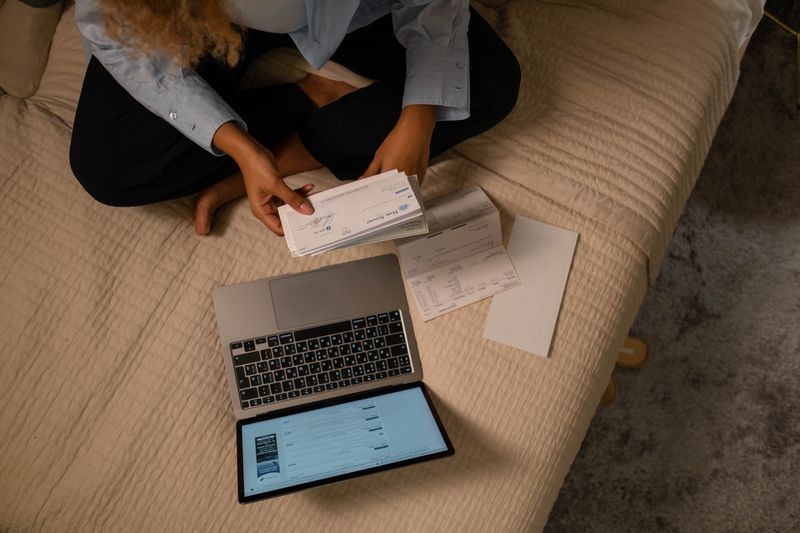
Business and personal checks differ in format, security, and purpose.
Format and Layout Differences
The most immediately noticeable difference between business and personal checks is their physical format. Personal checks are typically standard wallet-sized (6" × 2.75") and designed to fit in a personal checkbook. Business checks come in several larger formats designed for different accounting workflows:
| Feature | Personal Checks | Business Checks |
|---|---|---|
| Size | Wallet (6" × 2.75") | Deskbook, Voucher, or 3-per-page |
| Check number position | Top or side tear | Top, bottom, or 3-per-page |
| Stub/voucher attached | No | Yes (voucher and deskbook types) |
| Lines for detail | Standard memo line | Multiple invoice/expense lines |
| Typical box quantity | 120–150 checks | 50–250 checks |
Business voucher checks include a detachable stub that records the check amount, payee, date, and an itemized breakdown of invoices or expense categories. This stub is invaluable for bookkeeping — it creates a paper record of what each payment was for, which simplifies reconciliation and tax preparation.
Security Features Compared
Both personal and business checks include security features, but business checks — especially high-security variants — typically include a more extensive suite of protections. This is because business checks are often written for larger amounts and are more frequently targeted by fraudsters.
Standard personal checks from Checks Unlimited include microprinting, chemical-wash protection, and a watermark. High-security business checks add additional features such as:
- Padlock icon and warning clause: A visible deterrent that warns of security features and signals to bank tellers that the check has fraud protection.
- FraudScreen technology: A special chemical reaction in the paper that creates a permanent stain if someone attempts to wash the ink.
- Toner anchoring: Laser-printed text is chemically fused to the paper, preventing scraping or lifting.
- High-resolution border: A intricate border pattern that becomes visibly distorted if photocopied or scanned.
- Prismatic printing: Multi-color printing that is extremely difficult to reproduce with standard copiers.
- Artificial watermark: A simulated watermark visible at a 45-degree angle that cannot be reproduced by copiers or scanners.
Cost and Ordering Considerations
Business checks are generally more expensive than personal checks, reflecting their larger size, additional security features, and more complex printing requirements. A box of personal checks typically costs $15–$25, while a comparable quantity of business checks ranges from $25–$60 or more for high-security variants. However, business checks often come in larger quantities, so the per-check cost may be comparable.
When ordering business checks, consider the following cost factors:
- Format: 3-per-page checks (used with accounting software) are typically the most cost-effective for high-volume users. Voucher checks cost more but provide superior record-keeping.
- Volume: Ordering in bulk reduces per-check cost significantly. A 250-check order costs far less per check than a 50-check order.
- Security level: High-security checks cost 20–40% more than standard business checks but can save thousands in fraud-related losses.
- Customization: Adding a logo or custom signature line may incur a one-time setup fee but is often free on reorders.
When to Use Each Type
The choice between personal and business checks should be driven by how you use them:
Use Personal Checks When:
- You're paying for personal expenses: groceries, utilities, rent, gifts
- You're an individual consumer with a personal checking account
- You write fewer than 10–15 checks per month
- You want a wide variety of decorative designs
- You need checks that fit in a standard wallet or checkbook
Use Business Checks When:
- You're operating a business, LLC, or sole proprietorship with a business bank account
- You need to pay vendors, contractors, or suppliers
- You want to track payments by invoice number or expense category
- You use accounting software like QuickBooks, which requires 3-per-page checks
- You write checks for larger amounts and need enhanced security
Business Check Sub-Types Explained
Business checks come in three primary formats, each suited to a different workflow:
Voucher Checks
A single check per page with a detachable voucher stub. The stub includes lines for invoice numbers, expense categories, and payment details. Ideal for businesses that want a detailed paper record of each payment. These are the most popular business check format.
Deskbook Checks
Three checks per page in a bound book format, similar to a checkbook but larger. Each check has a stub for recording payment details. Best for businesses that write checks manually and want a compact, organized format.
3-Per-Page Checks
Three checks per page designed for use with accounting software like QuickBooks, Peachtree, or Quicken. The checks are printed from your software and include the payee, amount, and memo information automatically. This is the most efficient format for businesses that print a high volume of checks.
Accounting Software Compatibility
If you use accounting software, your check choice is largely determined by your software's requirements. QuickBooks and Quicken require 3-per-page checks, while manual voucher and deskbook checks work with any accounting system. When ordering, verify that the check format matches your software's print alignment — Checks Unlimited labels their software-compatible checks clearly, so look for "QuickBooks-compatible" or "Quicken-compatible" designations.
Can You Use Personal Checks for Business?
Technically, you can write a personal check for a business expense, but it's strongly discouraged for several reasons. First, commingling personal and business funds can pierce the corporate veil of an LLC or corporation, potentially exposing your personal assets to business liabilities. Second, it complicates tax preparation — your accountant will need to separate personal and business transactions, which costs time and money. Third, many vendors prefer or require business checks for B2B payments, as they appear more professional and provide better record-keeping. If you operate a business, open a business checking account and order business checks — it's a small investment that pays dividends in organization and legal protection.
Conclusion
Business and personal checks may share a basic function, but they differ significantly in format, security, cost, and appropriate use cases. Personal checks are ideal for individual consumers who want decorative designs and wallet-sized convenience. Business checks offer larger formats, detailed record-keeping stubs, enhanced security features, and compatibility with accounting software. By understanding these differences and matching your check type to your actual needs, you'll ensure smooth financial operations and proper record-keeping. Whether you need personal checks, business checks, or both, Checks Unlimited offers a full range of options to suit every requirement.